SecondBrain Valuations Agent: order bank property valuations from Microsoft Teams.
Fill in one order form in Teams and tick your lenders. The Valuations Agent signs in to each lender's valuation portal with your own login, lodges the order, and sends back a result card with each lender's reference number.
What it does
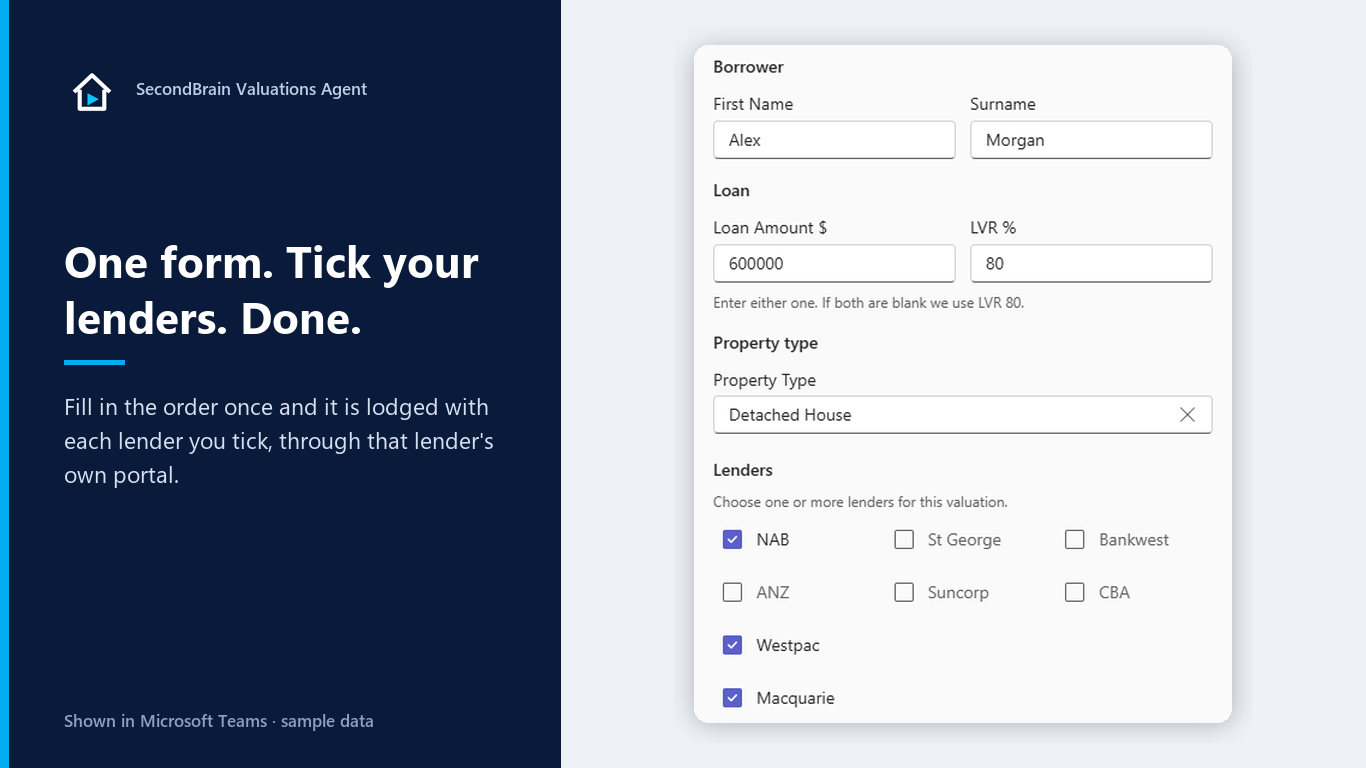
Instead of logging in to a separate portal for every lender, a broker fills in one form in Teams. The Valuations Agent lodges the valuation with each lender they choose, including:
- NAB
- ANZ
- Westpac
- St.George
- Suncorp
- Macquarie
- Bankwest
- CBA
- and more
How an order works
- Type template. The order form opens in the chat.
- Fill it in once. Enter the property address (suggestions appear as you type), the borrower, the access contact, and tick your lenders. Upload a Contract of Sale and the form fills in the property and agent details for you.
- Check the review card. Nothing goes to a lender until you confirm.
- The agent lodges it. It signs in to each lender's valuation portal with your own login and places the order. If a lender emails a sign-in code, the agent picks it up from your mailbox.
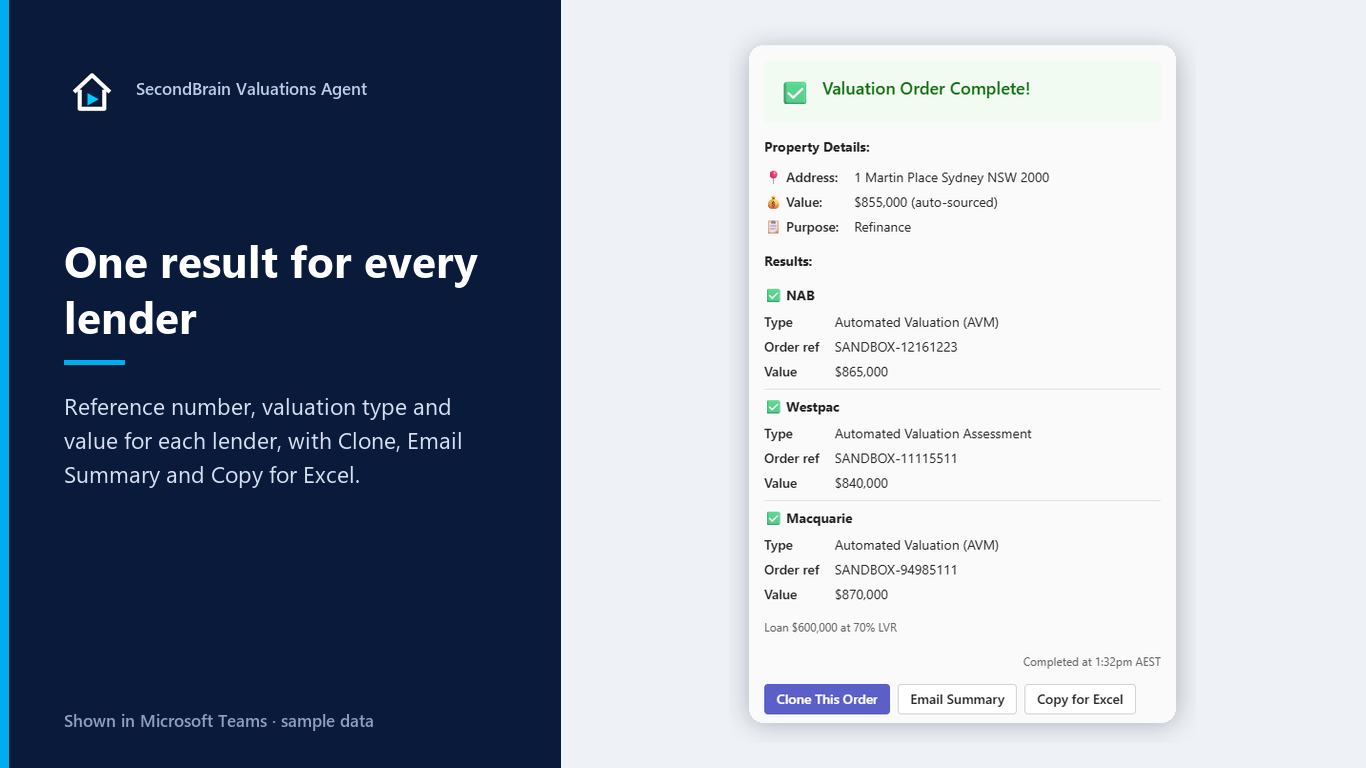
- Get one result card. One section per lender, with the reference number and valuation type, plus the value for automated valuations. Clone the order, email a summary or copy it into Excel.
Every order is a real order with the lender. Valuation fees are set and charged by the lender or its valuation panel.
Before you start
You need three things:
An active account
An active SecondBrain Valuations Agent account for your brokerage. Sign up here.
The app installed in Teams
Your brokerage's IT admin installs SecondBrain Valuations Agent in Microsoft Teams.
Your lender portal logins
Each broker uses their own logins for the lenders' valuation portals.
Getting started in 4 steps
Install the app
Open SecondBrain Valuations Agent in Microsoft Teams once your IT admin has installed it.
Type onboard
Set up your broker profile.
Type password
Add your lender portal logins.
Type template
Place your first valuation order.
Commands
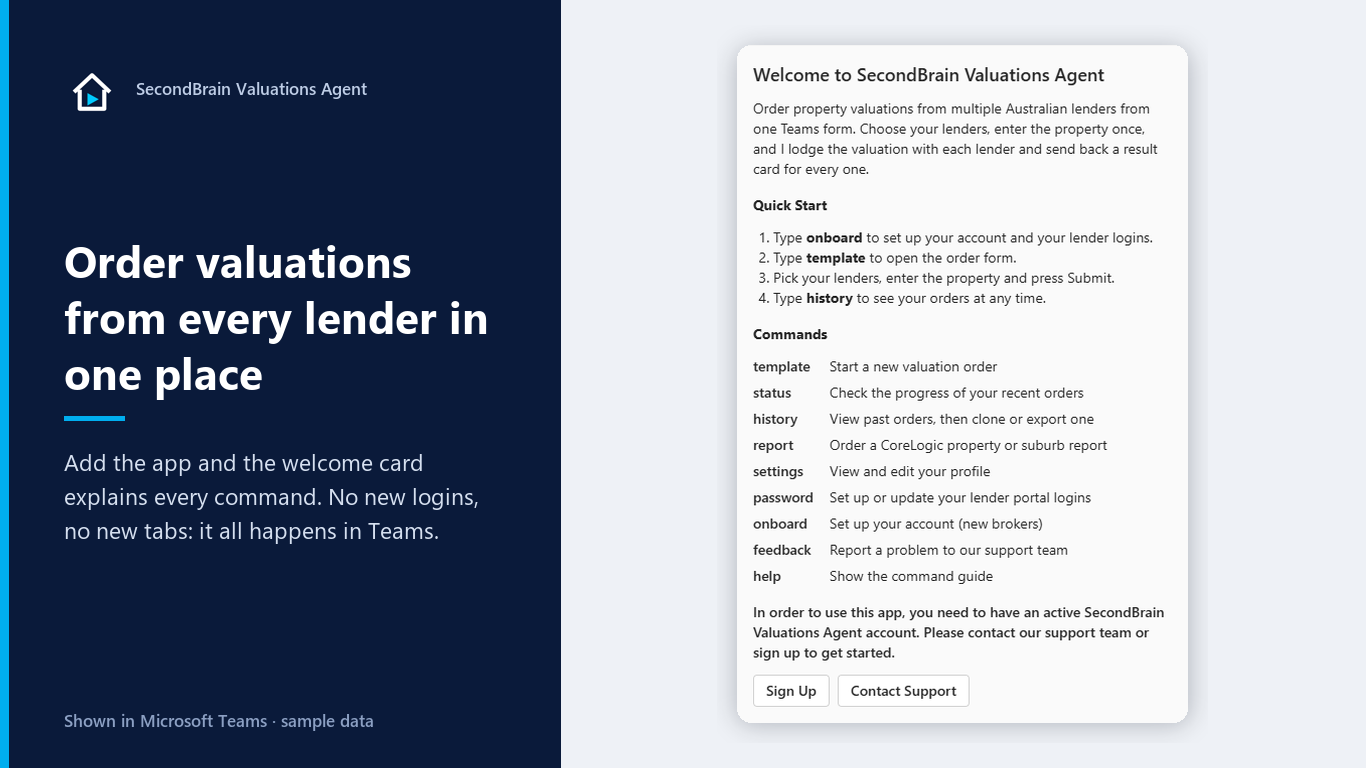
Type any of these in the chat. They are the same commands the app lists under View prompts.
| Command | What it does |
|---|---|
template | Start a new valuation order |
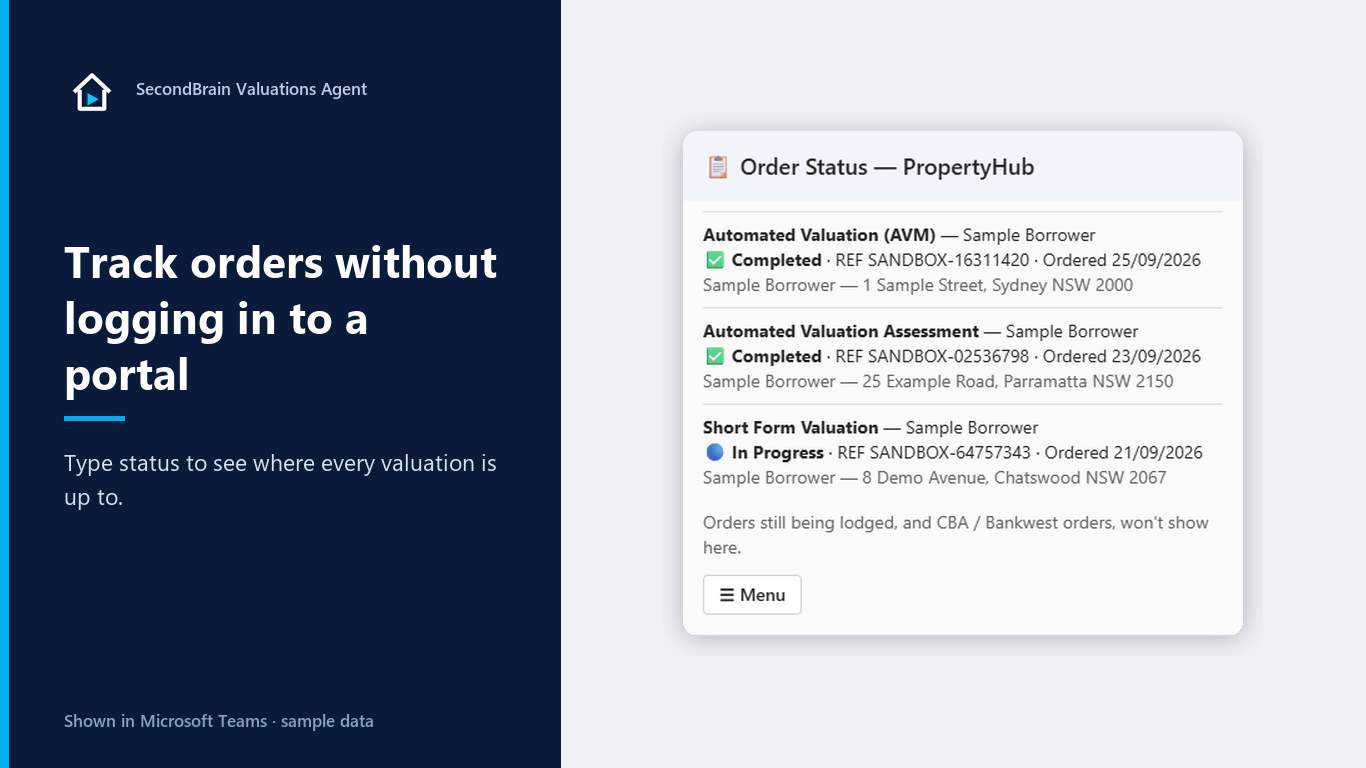
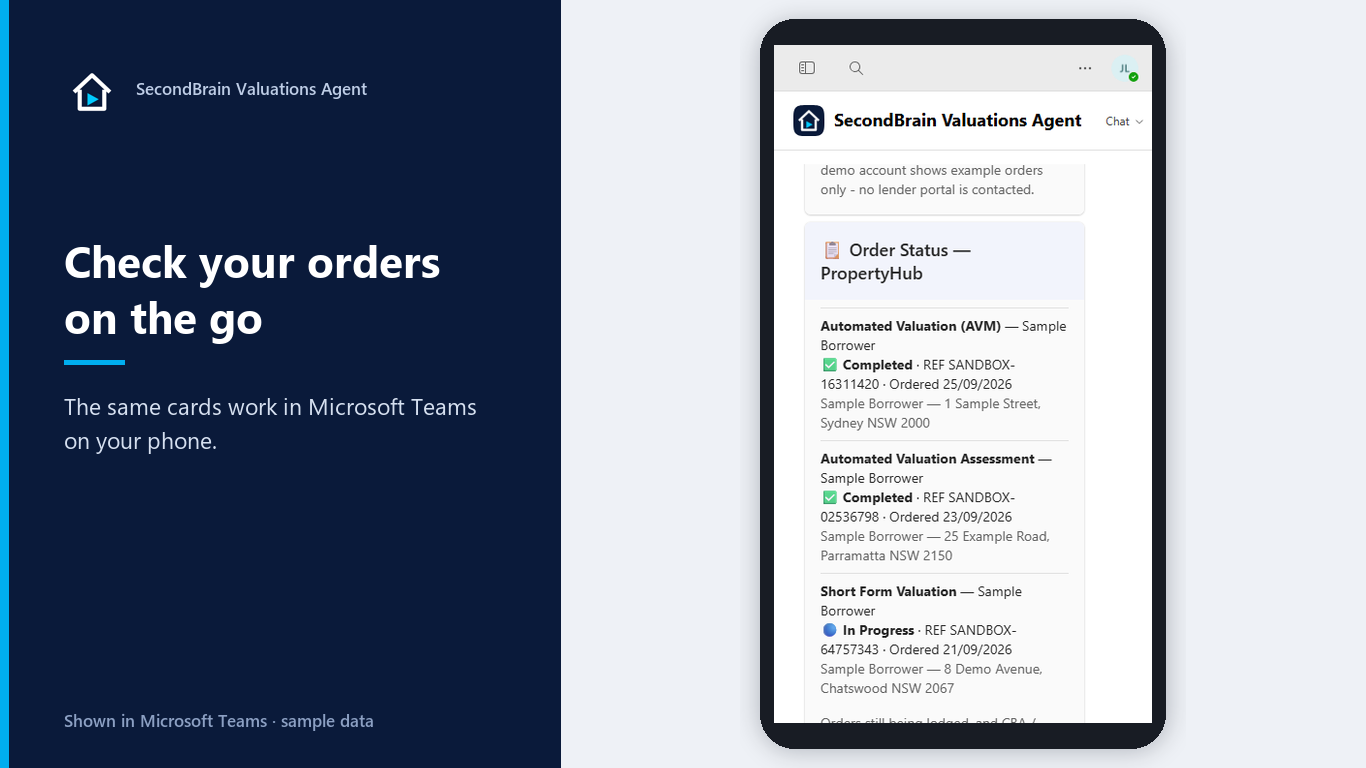
status | Check the progress of your recent orders |
history | View past orders, then clone or export one |
report | Order a CoreLogic property or suburb report |
settings | View and edit your profile |
password | Set up or update your lender portal logins |
onboard | Set up your account (new brokers) |
feedback | Report a problem to our support team |
help | Show the command guide |
See it in Teams
Screenshots from our demo tenant, using sample data only.
Your data
Your logins, locked away
Lender portal logins are encrypted in a separate Microsoft Azure Key Vault for each brokerage, in Australia, and used only to lodge that broker's orders.
Your mailbox, two things only
With your admin's consent, the agent reads only lenders' sign-in codes and Cotality valuation result emails. Nothing else.
Full detail is in our Privacy Policy and Terms of Service.
Ready to order valuations from Teams?
Sign your brokerage up and we reply within one business day. Existing customers can reach support by email, phone or the feedback command.