PREVIEW · light purple direction · not deployed · prod still at /sharp/

Bank pricing · inside Microsoft Teams

Get your client the best rate. Before another broker does.

You shouldn't type the same details into nine portals just to price one loan. The Sharp Pricing Agent prices all nine at once, all inside Microsoft Teams.

Price nine banks in 4 minutes, not 45.

★★★★★ 200+ users 12,000+ pricing requests run through Sharp Avg 4 minutes
Try it below 👇

See it work

From client call to comparison report. In 4 minutes.

Real screenshots from inside Teams. Swipe through.

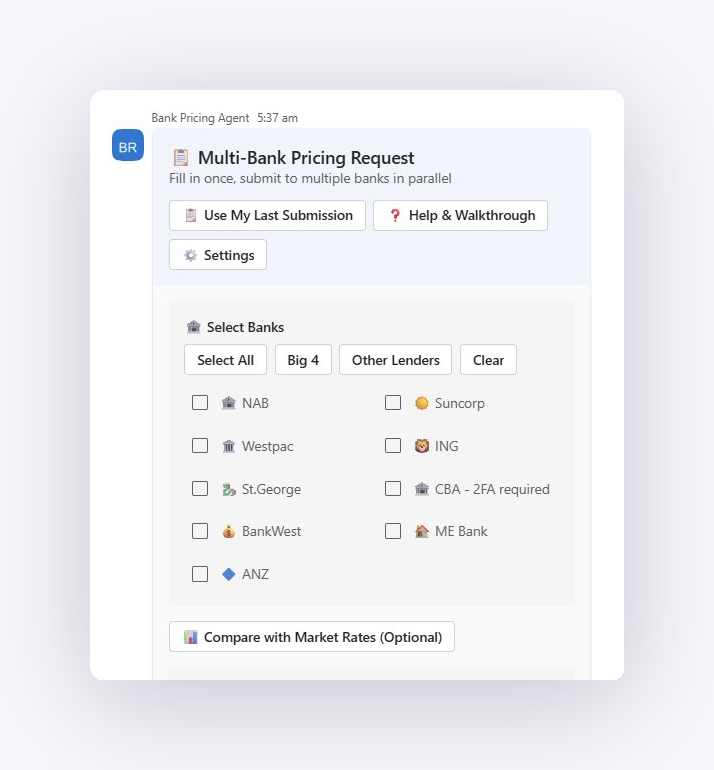
Step 01

Pick your panel

Sharp is configured for each broker's exact panel during onboarding. Tap "Big 4" or pick individual lenders. Every selected bank gets priced in parallel.

Pre-built panel shortcuts ↓ Multi-Bank Pricing Request. Select Banks panel inside Microsoft Teams
Step 02

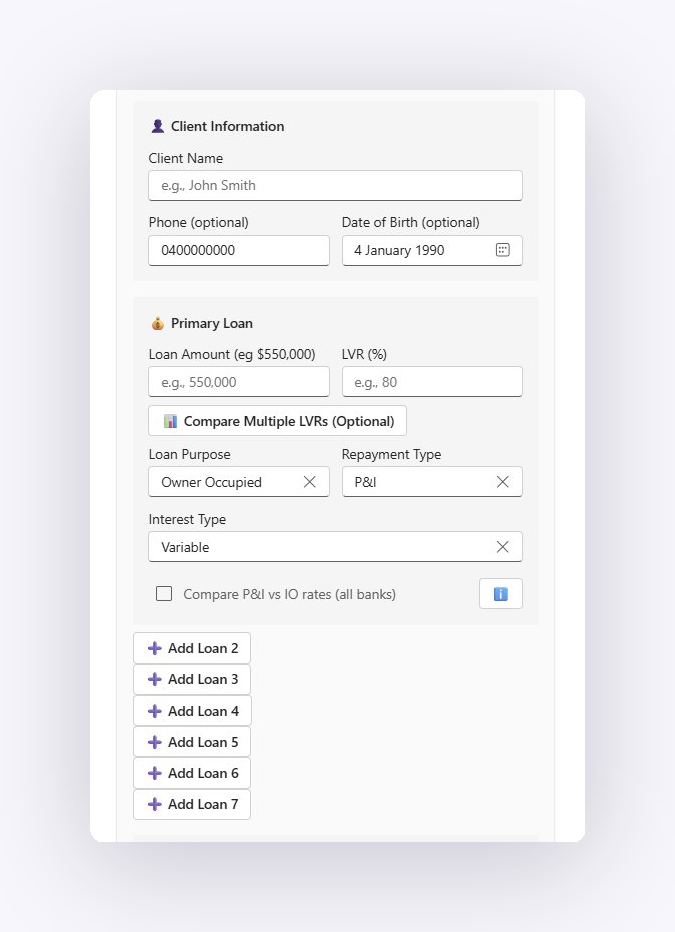
Set the scenario

Client details. Loan amount. LVR. Repayment type. One form, every lender. Whatever the client wants, Sharp puts it in front of every bank on your panel.

Add up to 7 loans per request ↓ Client Information and Primary Loan form inside Microsoft Teams
Step 03

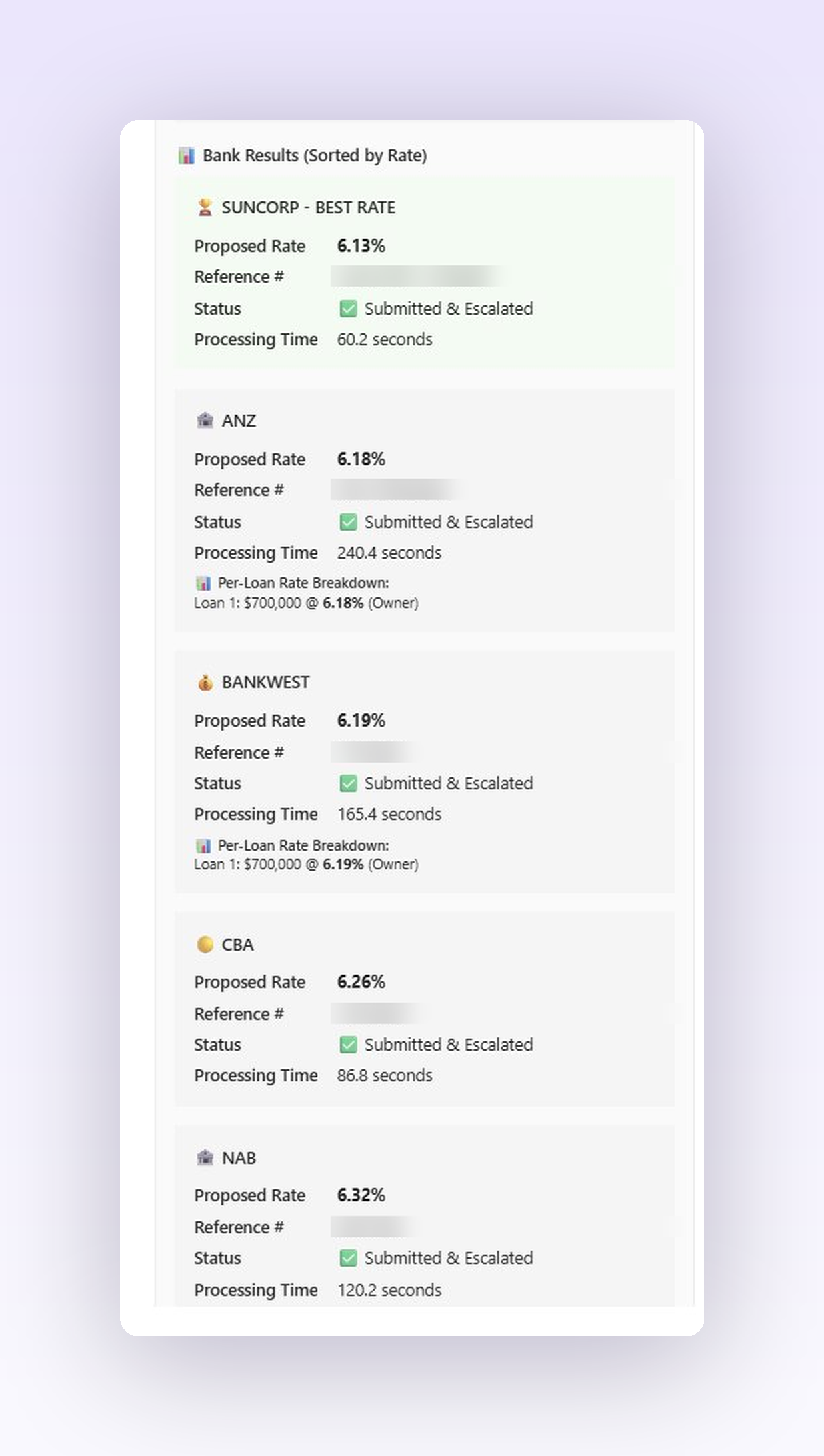
Sharp goes. Every lender at once.

Every lender on your panel returns a real rate, in parallel. Sharpest wins. You're still on the call.

↓ Suncorp won at 6.13% Bank Results sorted by Rate. Suncorp BEST RATE 6.13%, ANZ 6.18%, BankWest 6.19%, CBA 6.26%, NAB 6.32%
Step 04

Branded report. Ready to send.

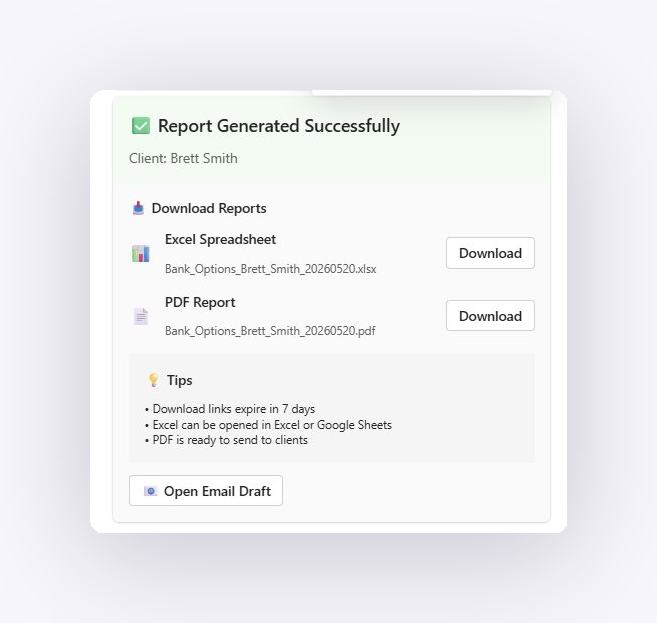
Excel workbook and PDF land in Teams, named for your client and your file. Email draft ready in Outlook. Click send. Done.

↓ One-click downloads Report Generated Successfully. Excel and PDF downloads ready
👉 swipe to see how it works

The Sharp Network

Every Sharp run makes the next quote sharper.

When a broker uncovers a sharp rate at a lender for your scenario, say a 75% LVR $1M investor deal Monday morning, the rest of the network sees it before clients go to another broker on Monday afternoon. We make sure you always have the best rates available.

And all of it lives in Microsoft Teams. No new app to learn. No portal logins. No browser tabs. The pricing, the report, the rate intelligence. All inside the chat window your team already lives in.

1,000+
Pricing runs / week
200+
Users
9
Lenders supported
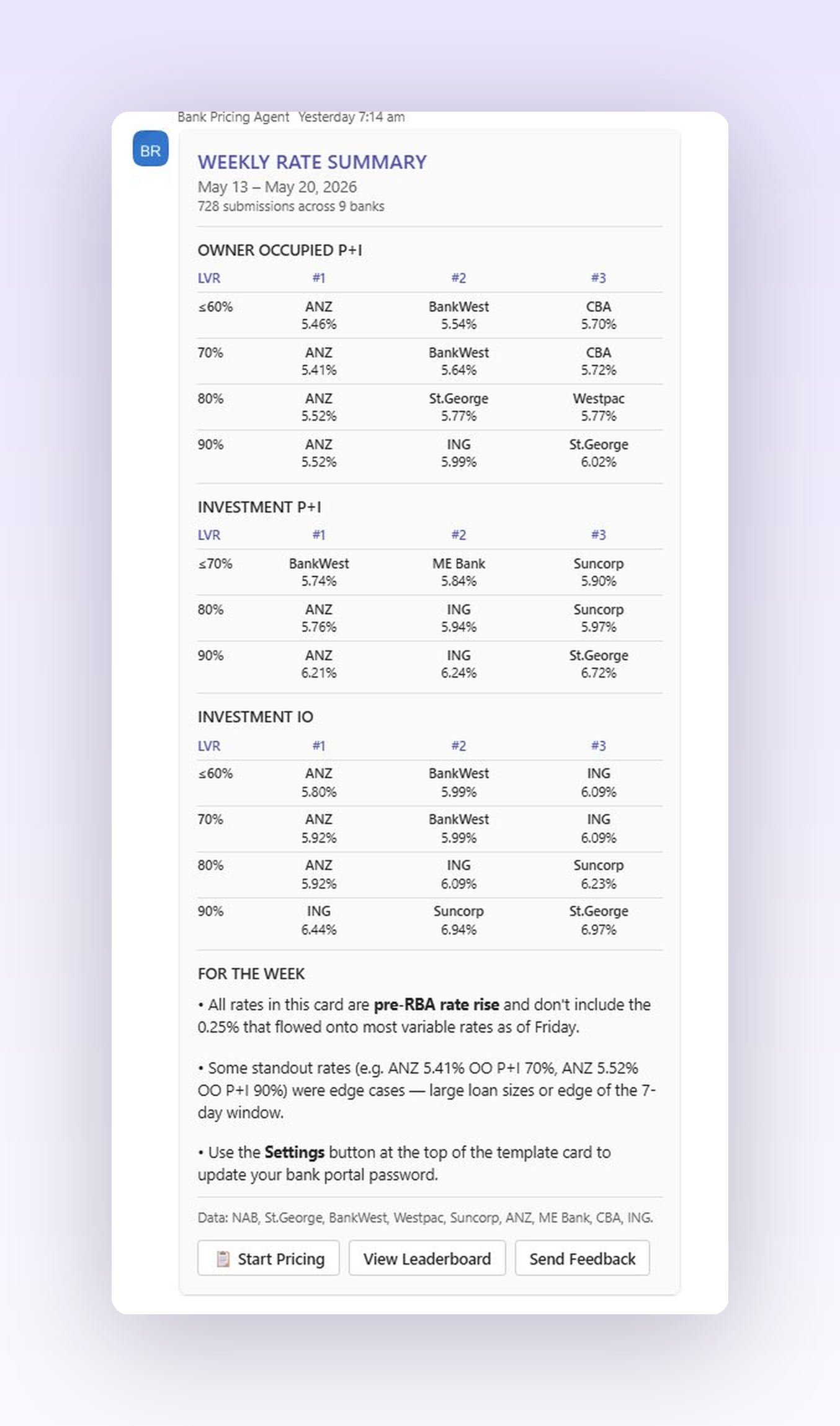
Weekly Best Rate Tips across the Sharp Network. Owner-occupied and investment rate matrix

Trusted by Australia's leading brokerages

Is your whole book still on the sharpest rate?

★★★★★

"Don't use this if you love wasting time. This pricing tool is the first AI product I've had that actually works. A genuine time saver, and it's added transparency to the rates our brokers are receiving across the brokerage."

Tom Hawley

Co-Founder & Director, Azura · Top 10 Brokerage AU · 2025 Residential Broker of the Year

Built for what your IT team will ask

Legal, security, compliance. All three, before you ask.

Sharp lives entirely inside your Microsoft 365 Environment. Your IT and compliance teams already know how to govern it.

Legal

Where does the data go?

Your Microsoft 365 Environment. Australia only. Never a third-party server. Never a foreign jurisdiction. Your existing M365 data residency commitments apply unchanged.

Security

Who can see it?

Your Environment, your users, your roles. Sharp inherits the access controls you already trust. Conditional access, MFA, device compliance. All of it.

Compliance

Where's the audit trail?

Every action logged. Every pricing request, every download, every credential update. Exportable on demand. Microsoft Purview compatible.

Pricing

Simple per-broker pricing. Save up to 34%.

Per broker, per month. GST excluded. Cancel any time on monthly.

Founding Prices · Get In Now Locked-in launch rate for our first brokerages. Pricing subject to change.
$190billed monthly
$147
per broker, per month + GST
Save 23%

Pays for itself in five pricings a month.

Monthly Quarterly · save 23% Annual · save 34%
Broker licensesOne subscription per broker
  • Free Sharp Network Training ($500 value) — a working broker shows you how they use the pricing agent.
  • Run two real pricings. If you don't see the value, we'll make it right.
under 4 min Azura's avg bank pricing, down from 30-45 min

"This pricing tool is the first AI product I've had that actually works. A genuine time saver."

Tom Hawley, Co-Founder & Director, Azura · 2025 Residential Broker of the Year

Stripe secure checkout · setup in under 1 business day

🔒 Your client data never leaves the Microsoft 365 tenant in Australia.

Already use Microsoft Teams? Add Sharp directly in Teams →

Couldn't reach checkout. Email James and we'll get you started manually.

Still not convinced?

🔧 Custom Integration

Talk to us.

Beyond Sharp, SecondBrain builds bespoke AI agents that live in your Microsoft Environment: valuation routing, settlement workflows, aggregator and CRM hookups. See more at secondbrain.com.au.

Book a demo for the Sharp Pricing Agent →

Common questions

What you'll want to know

What lenders does Sharp support?

Configured per broker during onboarding. Out of the box: NAB, St.George, BankWest, Westpac, Suncorp, ANZ, ME Bank, CBA, ING. Add lenders as your panel grows.

Does Sharp leave Microsoft 365?

No. Sharp runs entirely inside your own Microsoft 365 Environment. Client data, lender responses, pricing comparisons. Nothing exits the Microsoft perimeter. No third-party servers. No data leaves Australia.

How long does onboarding take?

Under one business day. SecondBrain provisions the workspace in your Environment, hooks up your lender credentials, and runs a test pricing query with you. You're live the same day.

What's the free Sharp Rate Intelligence Report?

A monthly PDF showing the sharpest rates across the Sharp network. Owner-occupied, investment, P&I, IO, every LVR band, every lender. Free for brokers signing up in the Founders' 100 cohort. Claim it via the assistant in the bottom-right of this page.

SB
Sharp Assistant
Online · Founders' 100

Want the latest Sharp Network Rate Intelligence Report? Weekly PDF, sharpest rates across 9 lenders and 200+ users. Free for the first 100 brokers. 53 left.

✓ Sent. Check your inbox in the next minute.